

Omarchy Bar Widgets
Five plugins for the Omarchy desktop shell — small, single-purpose panels that live in the bar and get out of the way.
Each of these does one thing from the bar and then closes. They share a set of
conventions rather than a codebase: the same theme tokens, the same key handling
(↑/↓ to move, Enter to act, Esc to
clear the search and then close), and the same rule about secrets — nothing sensitive
is written to shell.json or passed on a command line, because both are readable
by anything else on the machine.
Two of them cannot install their own keybinding, so the README for each gives the
bindings.lua line to paste, along with an optional layer rule that makes the
panel pop instantly like Omarchy's built-in overlays.
Shh
omarchy-shhTurn the clipboard into a self-destructing secret link
Copy a password, click the widget, and a self-destructing link lands back on your clipboard. The secret field is pre-filled from the clipboard because that is the common case — you copied a credential and want to hand it over.
Encryption happens on your own shh instance; the widget is only a client, and it stays dim until baseUrl is set. There is no default, because everyone self-hosts their own. It validates the address against /api/v1/info whenever it changes, so a typo shows up in the tooltip immediately rather than failing later, and the expiry choices in the panel come from that response too.
Nothing sensitive ever reaches a command line, since /proc makes a process's arguments readable by any other process on the machine.
Micro.blog
omarchy-microblogA Micro.blog client shaped after the original Twitterrific menu bar app
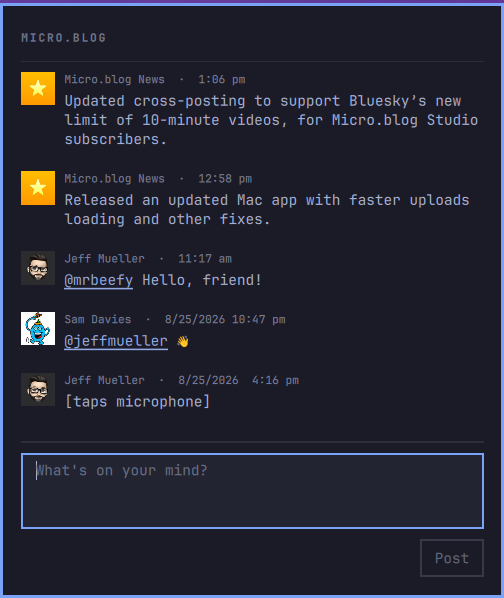
Click the icon, read a timeline newest-first, type in the box underneath, press Post. That is the whole app.
The compose box clears only after Micro.blog confirms the post, so a failed send never loses what you wrote, and the timeline refreshes a moment later so your post shows up.
The token is never stored in shell.json — that file is plaintext and its values are visible in the bar settings UI. It lives in a 600 file, or behind a tokenCommand that reads it from a keyring, and it is never passed to curl on the command line, so it does not appear in ps output.
SomaFM
omarchy-somafmSomaFM's commercial-free channels, from the bar
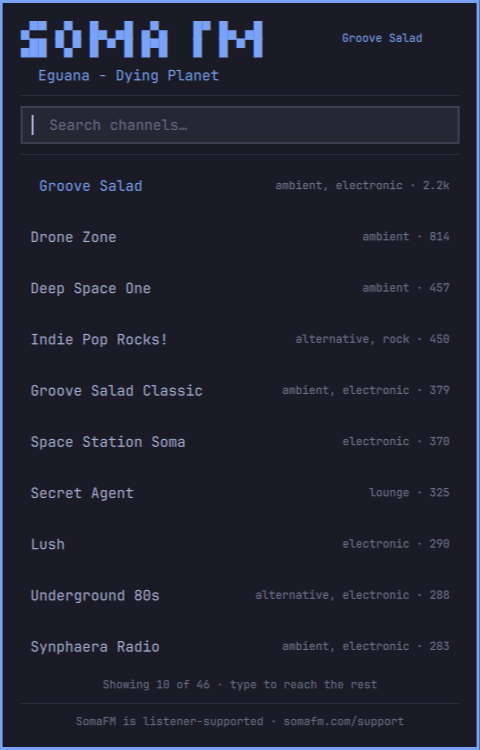
Click the note, pick a channel, and it starts playing. Type to filter by name, genre, description, or DJ; channels are listed busiest-first, which on SomaFM is a decent proxy for “start here”.
It is deliberately not a music player. Playback is an mpv process, and since Omarchy ships mpv-mpris auto-loaded, that mpv announces itself over MPRIS — so the track name and transport controls appear in Omarchy's own Media widget. This plugin only decides which channel, and start/stop.
Snippets
omarchy-snippetsA snippet picker whose rows are computed, not stored
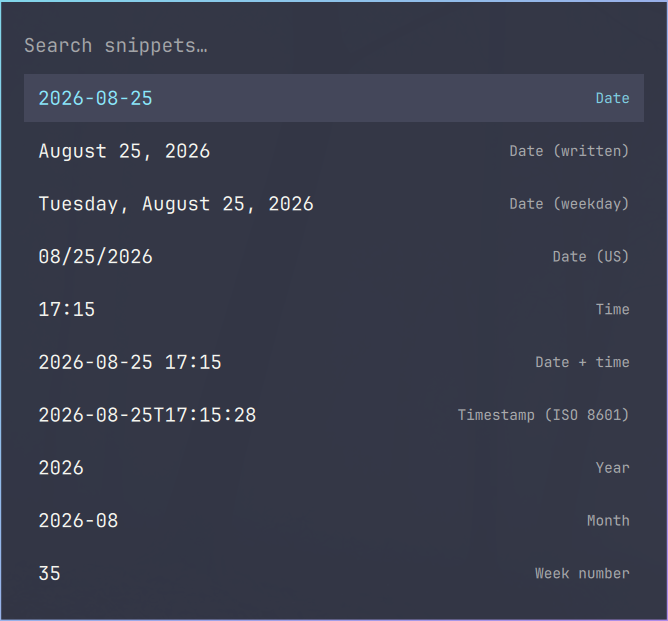
Search a named list, press Enter, and the resolved text is typed into whatever window you were in. Unlike a static expander, the rows are computed each time the panel opens, so dates, timestamps, and command output are always current.
Rows show the resolved value on the left and the name on the right — when several date formats match one search, the value is the thing that tells them apart.
Ships with a set of date and time formats, ISO 8601 timestamps, week number, Unix epoch, and a fresh UUID. Your own entries load ahead of the shipped ones, so they sort to the top.
Emoticons
omarchy-emoticonsAn ASCII emoticon and kaomoji picker
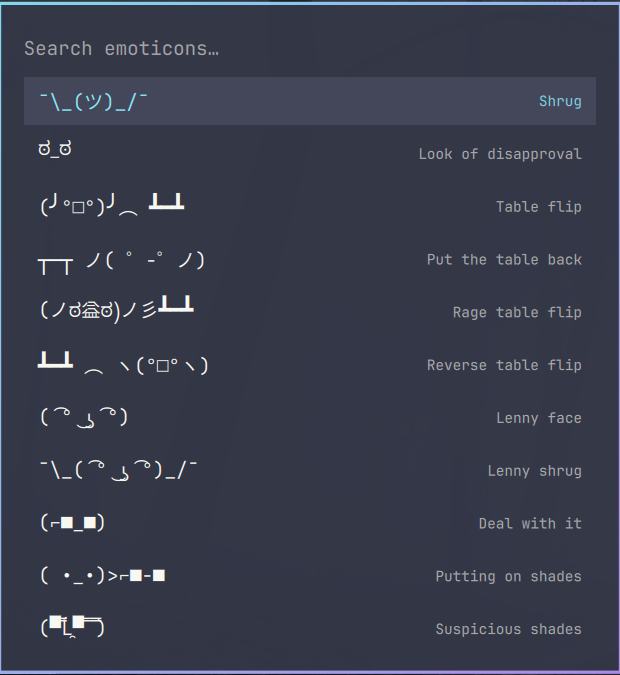
Search a hundred text faces, press Enter, and the one you picked is typed into whatever window you were in. It is the emoji panel's sibling — same surface, same theme tokens, same key handling — for ¯\_(ツ)_/¯, ಠ_ಠ, and (╯°□°)╯︵ ┻━┻.
Search matches both the name and its keywords, so flip, angry, and table all find the table-flip.